
Google Search Console is one of the most powerful free SEO tools available. But if you’re already “doing SEO” and still not seeing meaningful growth, the issue usually isn’t access to data — it’s knowing what the data means for revenue.
With Google’s AI Overviews increasingly summarising basic how-to content, this guide is intentionally not a beginner click-by-click tutorial. Instead, it explains how we use Google Search Console to uncover hidden commercial opportunity, diagnose performance gaps, and prioritise the small changes that create disproportionate gains.
In a nutshell: how we turn GSC into a revenue signal
In a nutshell: Google Search Console is a free diagnostic tool — not an SEO strategy. The real value comes from data mining for intent. At Grapefruit, we use GSC to identify “Striking Distance” keywords (terms ranking in positions 11–20), intent mismatches, and technical friction (indexing/crawl issues) that suppress buyer-ready traffic. In the right hands, small technical or content tweaks can unlock outsized gains in high-intent organic leads.
What exactly is Google Search Console?
Google Search Console (GSC) is an online platform provided by Google that helps website owners assess and improve visibility in search engine results pages (SERPs). It reports how Google crawls, indexes, and serves your pages in search — and it provides performance data such as clicks, impressions, click-through rate (CTR), and average position.
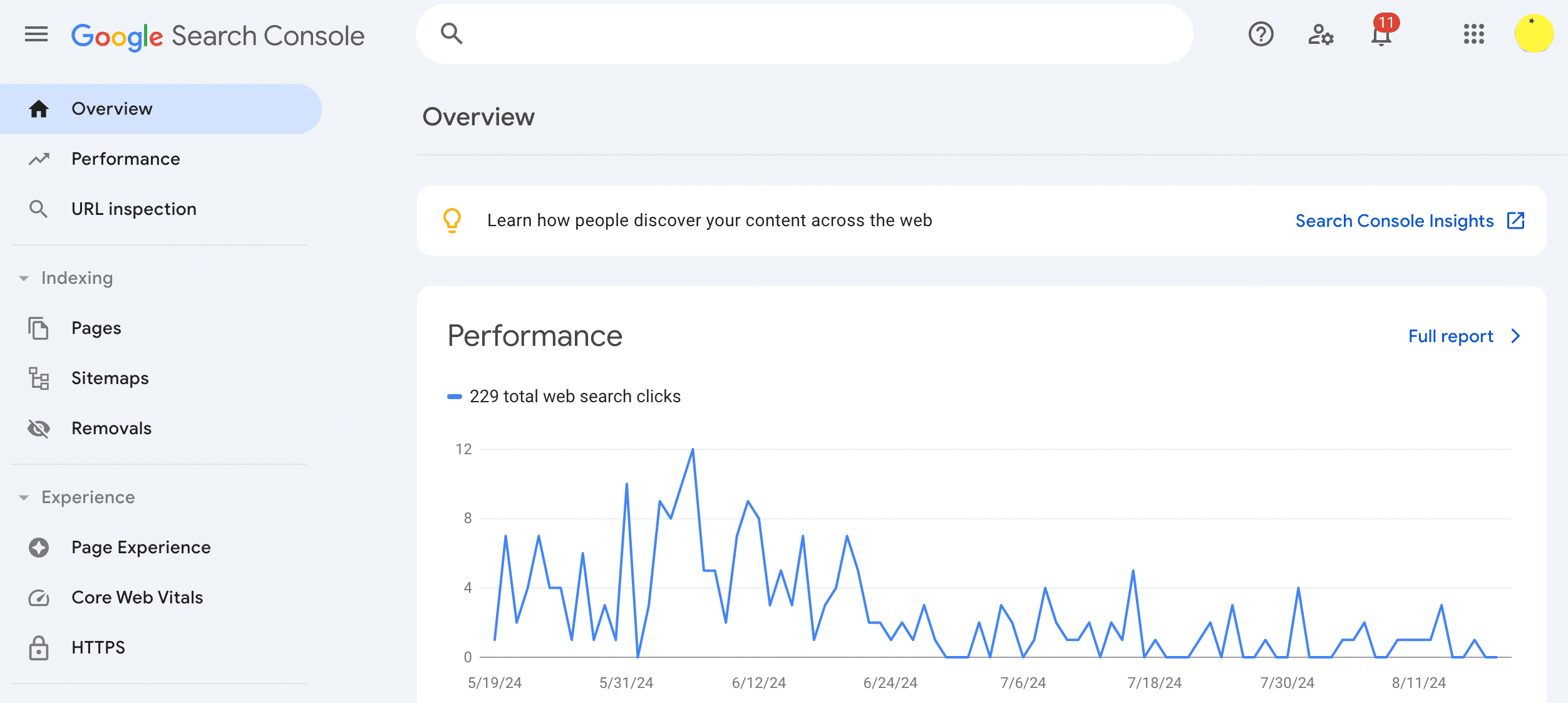
Like Google Analytics, it’s free. And it’s user-friendly enough for business owners with basic SEO knowledge — while still deep enough for experienced marketers to extract advanced insights. The difference is what you do with it: most teams use GSC to “check things,” whereas we use it to prioritise actions by commercial impact.
Why your Search Console traffic doesn’t match your rankings
A common “frustrated improver” problem looks like this: you can see rankings improving, but traffic and enquiries stay flat. GSC often reveals why — but only if you interpret the data strategically.
The most common causes we see are:
- Intent mismatch: you’re gaining visibility for informational queries, not buyer-ready searches.
- “Almost” rankings: you’re sitting on page 2 (positions 11–20) for valuable queries, where impressions exist but clicks don’t.
- Technical drag: crawl/indexation inefficiencies, cannibalisation, or weak internal linking suppress page potential.
Google Search Console shows symptoms. Strategy identifies causes — and tells you what to fix first.
So why is Google Search Console important for SEO?
Google Search Console is important for SEO because it gives website owners a wealth of data to improve rankings and visibility in Google search results. Improved rankings can be pivotal for effective online marketing, increased organic traffic, and business success.
One of the most valuable features of Google Search Console is long-term monitoring. SEO is a long-term game, so having access to trends over extended periods helps you identify what’s working, what’s slipping, and where the biggest opportunities are.
You can review which pages are ranking and the keywords they’re ranking for — which is vital for making informed decisions about future optimisation and content creation. And because Google provides troubleshooting resources, you can also identify and resolve issues that negatively impact rankings and Core Web Vitals.
The key shift is moving from “monitoring” to “prioritising.” GSC is most powerful when it helps you decide what to do next — and what will actually move the needle commercially.
Using Google Search Console to improve SEO (the strategic version)
Below are seven practical ways to use Google Search Console — but with a twist: each step includes how we interpret the data to find growth opportunities, not just “read the report.”
1) Setting up your Google Search Console account
The first step in accessing the benefits of Google Search Console is to set up an account for your business. This can only be done by the owner of the site, or someone who is granted access, such as an SEO agent or web developer. While there are a few technical steps involved in setting up a GSC profile for your website, there are online guides to help you through the process. The required verification steps ensure that only the website owner (or agent) can set up GSC and access the insights and data.
Strategic note: if you run multiple subdomains or international versions, correct property setup matters — otherwise your data fragments and you make decisions on partial truth.
2) Adding a sitemap
Sitemaps are a key aspect of SEO, as they provide important information to search engines regarding what your site is about, how it is structured, and who it is for. In Google Search Console, you can submit the sitemap for your website so that Google has a clear reference of the content and hierarchy of your site — which can be key to making sure all pages are indexed, rather than relying on the search engine crawling your internal links.
You can also monitor sitemap data to check that relevant pages are being crawled and indexed, and to identify technical issues that may impact SEO.
Strategic note: more indexed pages is not always better. We frequently see “index bloat” where low-value URLs (filters, tags, thin pages) consume crawl budget and dilute performance. GSC helps you spot this early.
3) Checking top performing search queries
One of the most valuable features of Google Search Console is that you can access information about how online users are finding your website by viewing search performance. By reviewing the Queries tab in the Performance / Search Results section, you can see the most popular keywords and phrases your site is ranking for. You can also view how traffic has changed over time and filter by Clicks, Impressions, CTR and Average Position.
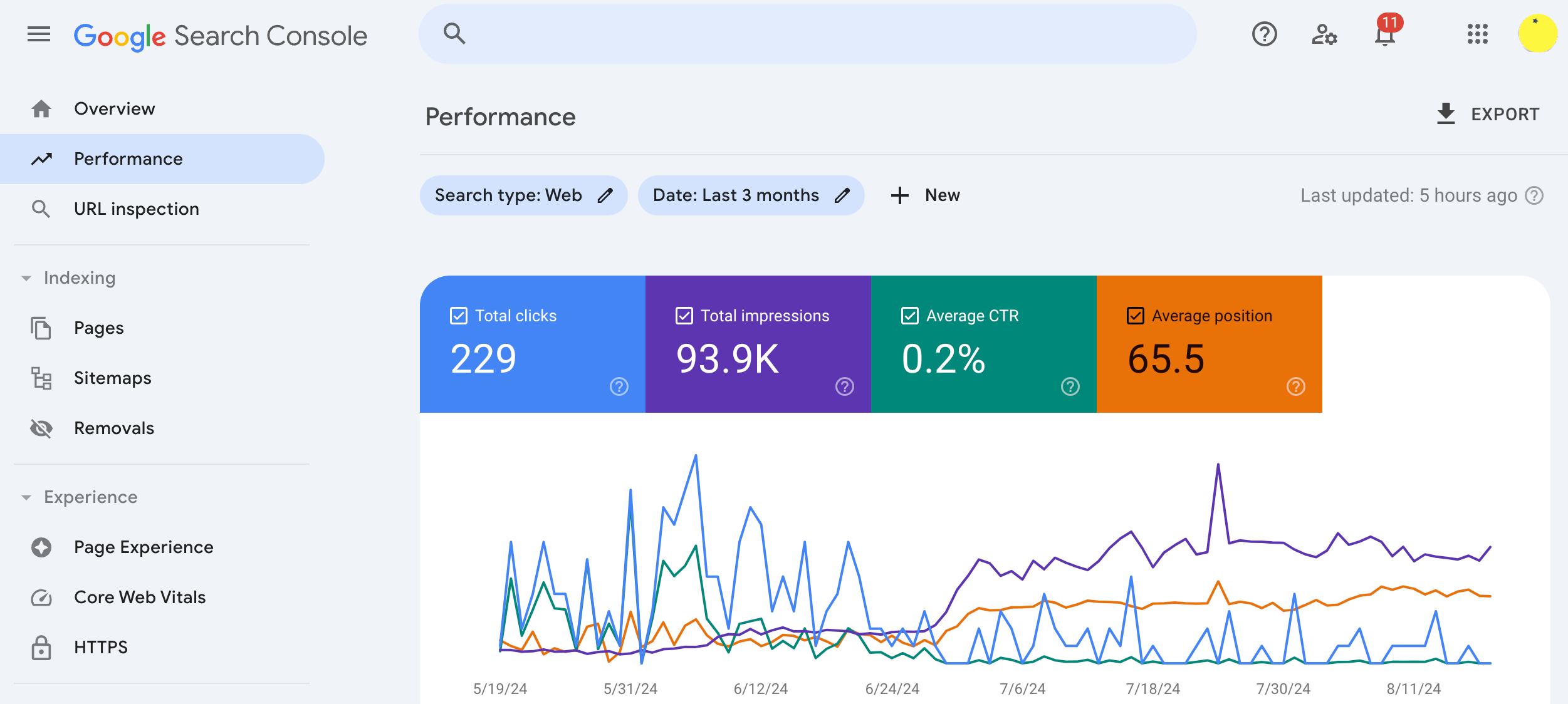
Strategic note: don’t just look for “highest clicks.” Look for queries with high impressions + low CTR (snippet/title misalignment), and queries where you rank well but convert poorly (intent mismatch). This is where revenue leakage hides.
4) Checking top performing pages
Another valuable area within the Performance/Search Results section is the Pages tab. This data reveals which pages on your website are performing the best, in terms of rankings and traffic. You can filter by Clicks, Impressions, Click-Through-Rate (CTR) and Average Position depending on which metrics you need. It’s also possible to click on each top-performing page to access page-specific insights, such as which keywords the page is ranking for.
Strategic note: the most valuable pages are not always the ones with the most traffic. We look for:
- High impressions, low clicks: opportunity to improve CTR and capture demand already present.
- Commercial pages stuck in position 5–15: often one internal linking or content alignment change away from top 3.
- Pages ranking for the “wrong” terms: a signal the page intent isn’t clear.
Finding the data is easy; knowing which 5% of it will double your revenue is the hard part. Book a GSC Strategy Audit with Grapefruit.
5) The “Low-Hanging Fruit” GSC Method: finding keywords on Page 2
When you can access the data about your website’s rankings, you can identify new keyword opportunities you may not have previously considered. For example, one of your top blog posts may be targeting a specific keyword, yet Google may be ranking it for something else. If this alternative keyword is relevant for your business, you may see improved rankings by optimising the page for the new keyword instead.
However, the fastest wins often come from keywords you’re already close to winning.
How to do it:
- Go to Performance → Search Results
- Filter queries by Average Position between 11 and 20
- Sort by Impressions (these terms have demand)
- Prioritise terms that indicate commercial intent (e.g. “agency”, “services”, “consultant”, “near me”, “cost”, “best”)
Why it works: these “Striking Distance” terms already have Google’s trust. Often, small improvements (internal linking, intent alignment, better titles/meta, expanded sections, technical fixes) can move a page from position 12 to position 4 — which can multiply clicks.
6) Checking & indexing URLs
If you want the pages of your site to rank well, they need to be properly indexed. Google Search Console provides clear information about which site pages are indexed, along with recommendations for any pages that have failed to be indexed. Being able to check individual pages using the URL Inspection tool and request indexing of pages you want to rank is crucial for good SEO and a great feature of GSC.
Strategic note: URL Inspection is also useful for spotting patterns that indicate deeper problems — for example, pages getting discovered but not indexed, duplicate canonical signals, or parameter URLs consuming crawl attention.
7) Finding & fixing search issues
Google Search Console provides insights about potential indexing issues and technical issues that could be affecting your site’s performance, including Core Web Vitals. It also provides guides and tips for resolving these problems. By regularly checking your GSC portal, you’ll be able to monitor performance, identify issues, and fix them so pages are indexed appropriately.
Strategic note: when impressions drop unexpectedly, it’s rarely random. We often trace it back to template changes, internal linking shifts, cannibalisation, crawl budget waste, or intent drift. GSC gives you the timeline — an expert audit gives you the root cause.
Basic GSC use vs. Grapefruit strategic use
| Task | Basic GSC Use | Grapefruit Strategic Use |
|---|---|---|
| Indexing | Check if a page is indexed | Identify crawl budget waste and index bloat patterns |
| Keywords | View top queries | Isolate “Striking Distance” commercial terms (positions 11–20) |
| Performance | Monitor clicks and impressions | Diagnose intent mismatch and prioritise by ROI impact |
| URL Inspection | Confirm technical status | Spot structural inefficiencies and duplicated canonical signals |
| Decision-making | React to data | Turn insights into a prioritised growth roadmap |
Google Search Console vs. a professional SEO audit
Google Search Console can tell you what is happening — impressions, clicks, indexing status, and performance patterns.
A professional SEO audit tells you why it’s happening, what to fix first, and which changes are most likely to produce commercial results. This is particularly important if you’re dealing with unexplained drops, stagnant growth, or visibility that doesn’t convert.
Frequently asked questions
How do I find new keyword opportunities in Google Search Console?
Look for queries where you’re already ranking but not yet earning clicks — especially terms in positions 11–20 with high impressions. These “Striking Distance” keywords often provide the fastest ROI when paired with intent alignment, internal linking, and improved titles/meta.
Why did my Google Search Console impressions drop suddenly?
Drops are often linked to technical changes, crawl/indexing issues, internal cannibalisation, or shifts in search intent. GSC shows the timeline and affected pages/queries — diagnosis requires context and prioritisation.
Is Google Search Console enough for SEO?
It’s essential, but it’s not enough on its own. GSC provides diagnostics, not strategy. The biggest wins come from interpreting the data and turning it into a prioritised plan aligned to business goals.
Ready to turn GSC data into revenue?
Google Search Console is a free service available to any website owner — and it’s a highly recommended foundation for SEO. But tools don’t grow businesses; decisions do.
If you’re seeing data but not results, the problem usually isn’t GSC. It’s interpretation.
Book a Google Search Console Strategy Audit with Grapefruit and we’ll show you where the opportunity is hiding — and what to do next.